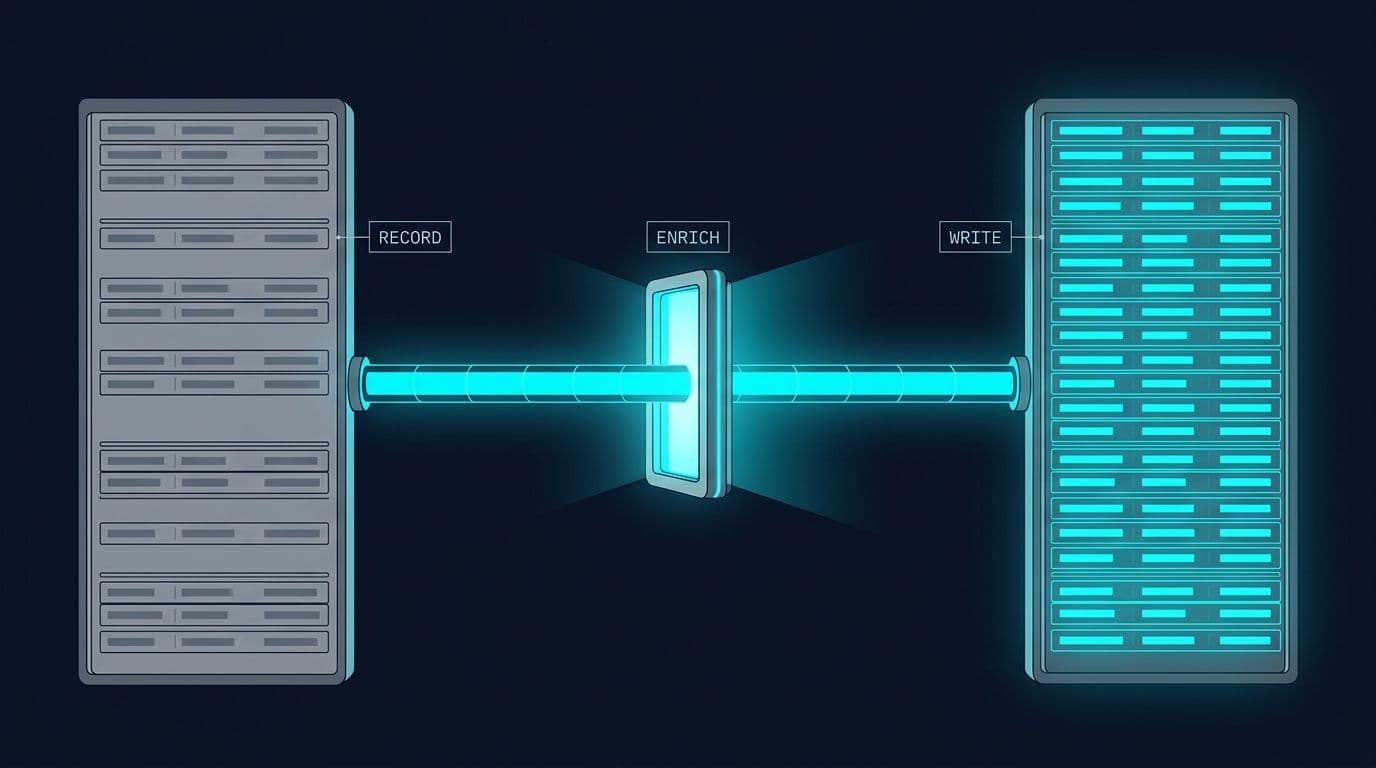
Most teams buy an identity resolution API on the strength of a match rate quoted in a sales deck, then discover eight months later that the number described a different population than theirs, the architecture forced a latency budget nobody agreed to, and the real cost per usable record was four times the list price per call.
The three things that actually determine whether this purchase works are measurable before you sign. What fraction of your records resolve, where in your stack the resolution happens, and what a resolved record costs you after the misses, the repeats and the re-resolution are counted.
This guide covers how to measure each one. It is written for the engineer or data lead who has been handed the evaluation, and it assumes you will be the person explaining the invoice in Q3. There is code in Python and Node where it helps, but most of this is arithmetic and architecture, not integration.
If you need the underlying concept first, start with what B2B identity resolution is and come back. This post assumes you already know what the problem is and are now choosing how to solve it.
What an identity resolution API actually does
Strip away the category language and an identity resolution API does three distinct jobs. Vendors bundle them, buyers conflate them, and most disappointing evaluations trace back to buying for one job and measuring for another.
Job one: collapse duplicates into a canonical record. You hold four rows that are one person. The API tells you they are one person and hands you a single record with a stable identifier. This is the job the category is named after.
Job two: resolve a partial handle into a full record. You hold an email, or a name and a company domain, or a profile URL. You want the person and the organization behind it. This is resolution as a lookup, and it is the job most B2B teams are actually buying.
Job three: keep the record true over time. People change jobs. Companies get acquired. A record that resolved correctly in March is wrong in September, and nothing about the original resolution tells you that. This is the job teams forget to buy and then rebuild badly in-house.
These have different failure modes, different cost curves and different success metrics. A vendor who is excellent at job two can be useless at job three. Before you write an evaluation plan, write down which of the three you are buying, in priority order. If you cannot rank them, you are not ready to evaluate.
One more distinction worth nailing down, because it shows up in every vendor conversation. An identity resolution API answers who is this. A data enrichment API answers tell me more about this person I have already identified. In practice the same endpoint often does both, which is convenient and also why match-rate conversations go sideways: a vendor can report a high resolution rate and a low field-completeness rate, and both numbers are true.
Question one: what is your real match rate
Every vendor quotes a match rate. Almost none of them are quoting the number you need, and the gap is not dishonesty so much as a denominator problem.
The denominator is the whole argument
A match rate is matches divided by attempts. The vendor controls which attempts get counted. Three denominators produce three wildly different numbers from identical performance:
| Denominator | What it measures | Typical reported figure |
|---|---|---|
| Records the vendor considered resolvable | Performance on a pre-filtered population | Highest |
| All records submitted | Performance on what you actually sent | Middle |
| All records in your database | Performance on the problem you have | Lowest |
The third one is the only number that predicts your outcome, and it is the one nobody quotes. If 30% of your database has no usable handle at all, no API resolves those rows and your effective coverage is capped at 70% before the vendor does anything.
So compute it yourself. Take your actual table, not a clean sample, and submit all of it. Divide definitive results by total rows. That is your number. It will be lower than the deck and it will be correct.
Four metrics that get called "match rate"
Separating these is the single highest-value thing you can do in an evaluation, because improving one often degrades another and a vendor tuned for the wrong one will quietly damage your data.
Coverage is the share of your records the vendor returns anything for. High coverage with loose matching is easy to manufacture and is the number most often inflated.
Accuracy is the share of returned records that are correct. This requires you to know the truth independently, which is why it gets skipped.
Precision is the inverse view: of the records the vendor claimed confidently, how many were right. A vendor returning high confidence on a record that turns out wrong has done more damage than one that returned nothing, because the wrong record gets written to your CRM and trusted.
Field-level completeness is the share of resolved records that carry the specific fields you need. A resolution that returns a name and nothing else is a match by the vendor's count and a miss by yours.
Measure all four. A vendor at 85% coverage and 70% accuracy is worse than one at 65% coverage and 96% accuracy for almost every real use case, because you can work around a known gap and you cannot work around silent corruption. We covered the test design for this in detail in how to test B2B data vendors, including how to build a golden set when you do not have labelled truth to start from.
Build the golden set before you talk to anyone
Take 300 to 500 records you can independently verify. Stratify them deliberately, because an unstratified sample hides exactly the failures that will hurt you:
- Records with a work email only
- Records with a name and company but no email
- Records at companies under 50 people
- Records at companies over 5,000 people
- Records outside your primary geography
- Records you know are stale, where the person has moved on
- Records with common names, which is where probabilistic matching breaks
- Records with non-Latin character names
Then run every candidate against the same set and score the four metrics per stratum. The stratum-level table is where evaluations actually get decided. Almost every vendor is adequate on large-company records in their home geography. The differences show up on small companies, on stale records and on common names, and those are often the segments that matter most to your pipeline.
Budget for this honestly. A 400-record golden set run against three vendors is 1,200 lookups, which is small money and roughly two days of work. Teams that skip it spend the equivalent of that budget in the first week of production debugging.
What a good number looks like
Resist the urge to anchor on a target. The useful question is not "is 72% good" but "is 72% better than what I have, at a cost I can defend, on the segments I care about".
That said, two reference points help. If a vendor cannot resolve records where you hold a verified work email, something is structurally wrong, because that is the strongest handle in B2B. And if a vendor reports coverage above 90% on an unfiltered real-world table, treat it as a precision question rather than good news, and go audit what came back.
Question two: where does resolution happen
This is the decision with the longest tail, because it determines your latency budget, your failure behaviour and how hard the system is to change in two years. There are three patterns and the right answer depends on when you need the answer.
Pattern one: resolve at ingest
Every record gets resolved as it enters your system. A form fill, a CSV import, a CRM sync. You store the canonical record and the stable identifier alongside your own row.
This is right when the resolved record is needed by downstream systems that cannot wait, such as lead routing, scoring or territory assignment. It gives you one resolution per record, predictable cost and fast reads forever after.
The cost is staleness. You resolved once, at a moment in time, and nothing tells you when that answer went bad. You now own a refresh problem, which is job three from earlier, and most teams do not plan for it. Field-level decay rates and how to prioritise refresh are the subject of CRM data decay; the short version is that different fields rot at very different speeds and refreshing everything on the same schedule wastes most of the budget.
Pattern two: resolve at query time
You store only your own identifiers and resolve on demand when someone opens the record.
This is right when freshness matters more than latency and your read volume is low relative to your record count. A sales rep opening an account they have not touched in a year wants today's truth, not last March's.
The cost is latency in the user's path and cost that scales with reads rather than records. A popular account read 200 times becomes 200 resolutions unless you cache, and caching reintroduces the staleness you adopted this pattern to avoid.
Pattern three: resolve at ingest, refresh on signal
Resolve once at ingest for fast reads, then re-resolve selectively when something indicates the record has changed. The signal can be a job-change event, an age threshold, a bounce, or a human flag.
This is the pattern most mature stacks converge on, and it is more work to build than either of the others. It needs an event source, a refresh queue, and a write gate that decides whether incoming data is allowed to overwrite what you hold.
That write gate matters more than people expect, so here it is concretely:
1HUMAN_OWNED_FIELDS = {"notes", "deal_stage", "owner", "custom_tier"}
2
3def should_write(field, current, incoming, confidence) -> bool:
4    if not incoming:                  return False   # never overwrite with nothing
5    if field in HUMAN_OWNED_FIELDS:   return False   # humans win, always
6    if human_edited(field):           return confidence == "high"
7    if not current:                   return confidence in ("high", "medium")
8    if current == incoming:           return False   # no-op, skip the write
9    return confidence == "high"
The rule that saves the most pain is the first one. An enrichment pass that overwrites a good value with an empty one is the most common way teams make their data worse by buying data. Ask any vendor how their API distinguishes "we know this field is empty" from "we did not return this field", and treat a vague answer as a finding.
Latency budgets, stated honestly
If resolution sits in a user-facing path, decide the budget before you look at vendors, because it eliminates options fast.
| Path | Realistic budget | Implication |
|---|---|---|
| Blocking a form submit | Under 400ms | Resolution must be async or cached. Do not block. |
| Rendering a record a user opened | 1 to 2s | Query-time resolution is viable with a spinner. |
| Lead routing after submit | Seconds to minutes | Async queue. Latency is irrelevant. |
| Nightly refresh | Hours | Batch only. Single calls are the wrong tool. |
The signup case is the one teams get wrong most often, because the product requirement sounds like "enrich the lead at signup" and the naive reading of that is a blocking call. It almost never needs to be. The pattern that works is to accept the submit, resolve asynchronously, and let the enriched data land a few seconds later. We walked through that flow, including what not to send to the browser, in enriching a signup flow.
Batch is a different product, not a bigger loop
For anything list-shaped, a loop over single calls is the wrong architecture and it will be slower, more expensive and less resumable than the batch endpoint. Ask every vendor three questions about batch: how many items per job, what happens when the job fails halfway, and are results keyed back to the exact input you submitted.
That last one is quietly important. If a batch returns results in an arbitrary order with no link to your input, you are reconstructing the join by fuzzy-matching names, which is the problem you bought the API to solve.
This is the first place a specific implementation detail is worth naming. Renidly runs batch as an async job: you submit up to 1000 items, get a job id back immediately, and the submit itself costs nothing because billing happens per definitive result. Every resolved row carries a matched_input field linking it to exactly what you sent, and inputs that resolved to nothing come back in a separate not_found list rather than being silently dropped. The practical effect is that a 40,000-record backfill is 40 jobs you can checkpoint, not a loop you have to babysit. Whichever vendor you pick, demand input keying and a separate not-found list, because without them large jobs are not safely resumable.
Here is the resumable shape, which matters more than the endpoint:
1from renidly import Renidly, InsufficientCreditsError
2
3renidly = Renidly()          # reads RENIDLY_API_KEY
4CHUNK = 1000
5
6def run_backfill(records: list[dict], run_id: str) -> None:
7    chunks = [records[i:i + CHUNK] for i in range(0, len(records), CHUNK)]
8    for idx, chunk in enumerate(chunks):
9        if chunk_done(run_id, idx):
10            continue
11        try:
12            job = renidly.data.people.enrich_batch(
13                ids=[r["person_id"] for r in chunk]
14            )
15            for row in job.stream():
16                upsert(row.matched_input, row)
17        except InsufficientCreditsError:
18            alert_ops(f"backfill paused at chunk {idx}: balance exhausted")
19            return
20        mark_chunk_done(run_id, idx)
The same thing in Node, where every call is async:
1import { Renidly, InsufficientCreditsError } from "renidly";
2
3const renidly = new Renidly();
4const CHUNK = 1000;
5
6async function runBackfill(records: Record<string, any>[], runId: string) {
7  for (let idx = 0; idx * CHUNK < records.length; idx++) {
8    if (await chunkDone(runId, idx)) continue;
9    const chunk = records.slice(idx * CHUNK, (idx + 1) * CHUNK);
10    try {
11      const job = await renidly.data.people.enrichBatch({
12        ids: chunk.map((r) => r.personId),
13      });
14      for await (const row of job.stream()) await upsert(row.matched_input, row);
15    } catch (e) {
16      if (e instanceof InsufficientCreditsError) {
17        await alertOps(`backfill paused at chunk ${idx}: balance exhausted`);
18        return;
19      }
20      throw e;
21    }
22    await markChunkDone(runId, idx);
23  }
24}
Per-chunk completion tracking is the part worth copying. A backfill that cannot resume is a backfill you will run twice, and the second run costs the same as the first. The broader patterns for worker pools and rate limit headroom are in batch enrichment at scale.
Question three: what does a resolved record actually cost
List price per call is close to meaningless. The number that belongs in your business case is cost per usable resolved record, and the gap between the two is where data budgets go to die.
The formula
1cost per usable record =
2    (total credits spent) / (records resolved AND accurate AND carrying the fields you need)
Three multipliers sit between the list price and that number, and each one is knowable in advance if you ask.
Leak one: you pay for misses
This is the single biggest surprise in enrichment invoices, and it is not a trick. A lookup that runs and finds nothing consumed real work, so it is billed. Across the board, a not-found result costs you.
The implication is a budgeting rule, not a complaint: budget on submissions, not on expected successes. If you are resolving 100,000 records at an expected 70% match rate, your budget is 100,000 lookups, not 70,000. Teams that model the optimistic number run out of credits two thirds of the way through a backfill, which is exactly when a job is most expensive to restart.
There is a useful nuance on reverse resolution specifically. On Renidly's reverse endpoint, an address that is structurally unsupported, meaning a public mailbox, a role account like info@, a disposable address or an invalid one, is rejected before any work runs and costs nothing. A business address where discovery genuinely ran and found nobody is charged a reduced partial rate rather than the full one. So pre-filtering your input list for role accounts and free-provider domains is free money, and it is the first optimisation to make on any email-keyed pipeline. The general lesson applies to every vendor: ask exactly which failure classes are free, which are partial and which are full price, and get it in writing.
Leak two: you pay for the same record repeatedly
Three mechanisms cause this and all three are preventable.
The first is missing idempotency. If your pipeline can submit the same record twice, it will, usually during a retry after a partial failure. Store the resolution result keyed by your own identifier and check before you call.
The second is cache behaviour you do not understand. Ask whether identical repeat requests are billed. On Renidly they are not: a repeat call with identical inputs is served from a short-lived cache for free, and the SDK reports it honestly as meta.credit_consumed == 0 so you can see it happening rather than infer it. That visibility is the part to demand from anyone, because a vendor who cannot tell you whether a given call was billed cannot be cost-audited at all.
The third is pagination billing. Every page of a paginated search is usually a separate billed request. A filter that returns 400 results at 20 per page is 20 billed calls, not one. Tighten the filter before you widen the page count, and read the per-page cost off the response rather than assuming.
Leak three: the waterfall double-pay trap
If you are chaining vendors so that a miss on provider A falls through to provider B, you are paying for A's miss and B's attempt on every record A cannot resolve. On a population where A resolves 60%, you pay 100% of A plus 40% of B, and if B also misses you have paid twice for nothing.
The fix is ordering by expected value per credit rather than by match rate, and gating the fall-through on whether the first result was genuinely absent rather than merely incomplete. This is a whole topic on its own and we worked the arithmetic in waterfall enrichment ordering. The headline is that the cheapest provider should rarely be first; the provider with the best resolution rate per credit on your population should be.
Make cost observable from day one
Instrument this before you go to production, not after the first invoice surprises someone. If the API reports per-call cost, log it next to the result:
1person = renidly.data.people.retrieve(id="prsn_...")
2log.info(
3    "resolution",
4    extra={
5        "resolved": person is not None,
6        "credits": person.meta.credit_consumed if person else None,
7        "balance": person.meta.remaining_balance if person else None,
8    },
9)1const person = await renidly.data.people.retrieve({ id: "prsn_..." });
2log.info("resolution", {
3 resolved: person !== null,
4 credits: person?.meta.creditConsumed,
5 balance: person?.meta.remainingBalance,
6});With that one log line you can compute real cost per usable record weekly instead of arguing about it quarterly. You can also read per-route costs directly before you commit to a design, which is the honest way to compare: Renidly publishes them at a public endpoint that needs no key, and they are documented at endpoint costs with the full credit model on the pricing page. The question to put to any vendor is simply whether you can see the cost of a call in the response. If the answer is no, cost control is going to be a spreadsheet exercise forever.
A worked example
100,000 records, expected 70% resolution, and assume for illustration that a resolution costs 1 credit and 15% of what resolves lacks the field you actually need.
1Submissions:                100,000 credits  (you pay for misses)
2Resolved:                    70,000 records
3Resolved AND field-complete: 59,500 records
4Cost per usable record:     100,000 / 59,500 = 1.68 credits
The headline price was 1. Your real number is 1.68, which is 68% higher, and nothing unfair happened. Every vendor conversation should start from a number computed this way on your own golden set, because it is the only figure that survives contact with an invoice.
Question four: identifiers, opt-out and explainability
These three get waved through in evaluations and then become the reasons a migration is painful or a compliance review stalls.
Stable identifiers are the product
Ask what you get back as a key, and whether it changes. If the vendor returns a public handle or a slug as the primary identifier, you have a problem, because those are user-editable and they do change. When one changes, your join silently breaks and you find out when a report looks wrong.
What you want is an opaque, stable, non-enumerable identifier per entity. Renidly returns prefixed ones for each entity type, prsn_ for a person and org_ for an organization, and they do not change even when the underlying public handle does. The rule that goes with it applies to every vendor: treat identifiers and pagination cursors as opaque strings. Do not parse them, do not increment them, do not try to construct one. Store what you were given and pass it back verbatim. Teams that pattern-match on identifier internals write code that breaks on the vendor's next change, and that breakage is self-inflicted.
Store the vendor identifier next to your own primary key from the first day, even if you do not use it yet. It is the cheapest migration insurance available, and it is nearly impossible to backfill later.
Opt-out handling is a contract question
People can request removal from professional datasets, and a serious vendor honours that. The thing to establish is what your integration sees when it happens, because a vendor who returns a generic error for an opt-out leaves you unable to distinguish "this person asked to be removed" from "your request was malformed".
You want a distinct, documented signal. On Renidly an opted-out subject returns a specific permission-denied response and is not charged, which means your code can branch on it and record a suppression locally rather than retrying forever. Build the suppression list on your side regardless of vendor: once you learn a record is opted out, stop submitting it. Retrying it is wasted budget and it is the wrong behaviour.
Two adjacent things belong in the same conversation. Ask how corrections are handled when a resolved record is wrong and a human has flagged it. And read the vendor's own posture rather than taking a sales answer: Renidly's is at trust and the removal path is at opt-out. For the broader practice of running lookups defensibly, including what to log and what not to retain, responsible profile lookup covers the ground properly.
Explainability determines whether you can debug
When a resolution is wrong, can you tell why. Three capabilities separate an API you can operate from one you can only hope about:
A confidence signal you can threshold. Not a single opaque score, but a value you can gate writes on. high, medium and low are sufficient if they are consistent and documented.
A distinction between absent and unknown. Covered above, and worth repeating because it causes the most damage.
A request identifier you can quote. When you report a wrong record, the vendor needs to be able to look up that exact call. If there is no request id in the response, support conversations become unfalsifiable.
Then thread the confidence signal through to your own write gate, which is the one place it earns its keep. The pattern is the should_write function from earlier: resolution confidence decides whether the API is allowed to overwrite a field you already hold. Teams that resolve well and then write indiscriminately end up with worse data than teams that resolve adequately and write carefully. CRM data enrichment goes deeper on field ownership and who wins a conflict.
Running the proof of concept
A good proof of concept takes about two weeks and answers questions in an order that lets you stop early when a vendor is clearly wrong.
Days 1 to 2. Build the golden set. Stratified, 300 to 500 records, truth established independently. Do this once and reuse it for every vendor and every renewal. It is the most durable artifact of the whole exercise.
Day 3. Smoke test the integration. Can you authenticate, make one call, and read the cost of it. Most vendors offer a free allowance for exactly this; Renidly's is 100 credits with no card, which is enough to validate the integration shape and a few dozen records before anyone involves procurement. If you want to see what a resolution returns on a single record before writing any code at all, the free tools run a few of these endpoints in the browser with no signup, which is a reasonable way to spot-check two or three records from your golden set.
Days 4 to 6. Run the golden set. All of it, through every candidate, scoring coverage, accuracy, precision and field completeness per stratum.
Days 7 to 8. Compute cost per usable record. Using the formula above, with real credit consumption rather than list price.
Days 9 to 10. Test the failure paths deliberately. Submit a record you know will not resolve. Submit malformed input. Exhaust a small balance mid-job. Hit the rate limit on purpose. You are buying the failure behaviour as much as the success behaviour, and this is the only phase that tells you about it.
Days 11 to 12. Test freshness. Take 20 records where you know a person changed roles in the last 90 days. See which vendors reflect it. This is job three from the opening, and it is the one most likely to be quietly bad.
Days 13 to 14. Write it up. A table per stratum, a cost per usable record per vendor, and a short list of the failure behaviours you found. Whoever signs the contract should be able to read that in five minutes.
Questions to put in writing
Send these to every vendor and keep the answers. They are the ones whose answers change the architecture.
- On what denominator is your quoted match rate computed?
- Which failure classes are free, which are partial, and which are full price?
- Are identical repeat requests billed?
- Is each page of a paginated result billed separately?
- What is the maximum batch size, and are results keyed to my exact input?
- What happens to an in-flight batch job when my balance hits zero?
- Does your API distinguish a field that is empty from a field you did not return?
- Is the primary identifier stable, and what happens when a public handle changes?
- What response does an opted-out subject produce, and is it charged?
- Can I see the credit cost of an individual call in its response?
A vendor who answers all ten crisply is telling you something real about how the product is built. Vagueness on billing questions in particular is worth weighting heavily, because it is the area where you have the least leverage after signing.
Where I will argue against this
Two places where the advice above is wrong for some readers, stated plainly.
You may not need an identity resolution API at all. If your total addressable market is 2,000 accounts and you have a team of five, a researcher with a spreadsheet will beat any API on accuracy and cost for at least a year. The API wins on volume, consistency and repeatability. Below a certain volume those are not the constraints you have. The genuine break-even is lower than most vendors suggest and higher than most engineers assume, and build vs buy for data enrichment works through where it actually sits.
The four-question framework over-indexes on measurement. Some of the best outcomes come from teams who picked a reasonable vendor in a week, shipped, and iterated on real production data. A two-week proof of concept has a real cost in momentum, and there is a version of this evaluation that becomes a way of avoiding the decision. If you are choosing between two adequate options, flip a coin and spend the saved fortnight on the write gate, which will matter more to your data quality than the vendor choice does.
What survives both objections is the instrumentation. Log cost and resolution outcome per call from day one. That costs nothing, it is the input to every later decision, and it is the thing nobody regrets having.
Five anti-patterns
Blocking a user-facing request on a resolution call. The resolution is a few hundred milliseconds on a good day and several seconds on a bad one, and the bad day is the one your users remember. Accept the request, resolve asynchronously, update the record when it lands.
Branching on HTTP status alone. A well-designed resolution API returns a structured response for "ran successfully, found nobody", and that is frequently a 200 rather than a 404, precisely because real work happened. Branch on the response body's success and found fields, not on the status code. Renidly documents the shape at response envelope.
Overwriting good data with empty fields. Discussed twice above because it is the most common way an enrichment project makes a database worse. Gate every write.
Resolving everything on the same schedule. Fields have different half-lives. Job titles move, company names rarely do. A uniform nightly refresh spends most of its budget confirming things that did not change. Prioritise by decay rate and by whether anyone reads the field.
Treating identifiers as parseable. Covered above. Opaque means opaque.
Frequently asked questions
Is an identity resolution API the same as a data enrichment API?
No, though the same endpoint often serves both. Identity resolution answers who a record refers to and returns a canonical entity with a stable identifier. Enrichment adds attributes to an entity you have already identified. You generally need both, and you should measure them separately, because a vendor can resolve well and return thin records.
What is a good match rate for a B2B identity resolution API?
There is no universal number, because the figure depends entirely on the denominator and on your record quality. The useful approach is to compute coverage, accuracy, precision and field completeness on your own stratified golden set, then compare vendors on the same set. A vendor quoting a rate without stating its denominator has told you nothing.
How much does an identity resolution API cost?
Pricing is usually per call or per credit, but the number that belongs in your business case is cost per usable resolved record, which accounts for billed misses, repeat lookups and incomplete results. That figure is commonly 50% to 100% above the headline per-call price. Renidly's credit model is on the pricing page, with per-route costs published at a public endpoint so you can model before you commit.
Should I resolve identities at ingest or at query time?
Resolve at ingest when downstream systems need the record immediately and cannot wait, which covers lead routing and scoring. Resolve at query time when freshness matters more than latency and read volume is low. Most mature stacks resolve at ingest and then re-resolve selectively on a signal such as a job change or an age threshold.
Do I need stable identifiers if I already have email addresses?
Yes. Email is a strong handle in B2B but it is not stable: people change employers and addresses are deactivated. A stable opaque identifier survives that, which means your join survives it. Store the vendor identifier alongside your own primary key from the first integration, because backfilling it later is painful.
Can I evaluate an identity resolution API without a sales call?
Usually, and you should prefer it. A free allowance large enough to run a few dozen golden-set records tells you more than any demo, because it tests the integration and the data at the same time. Ask for a trial that does not require a card and does not require a scoping call, then spend it on your golden set rather than on the vendor's sample data.
What is the difference between identity resolution and entity resolution?
They are frequently used interchangeably. Entity resolution is the broader computer-science term for deciding whether records refer to the same real-world thing, of any type. Identity resolution in a B2B context usually means the specific case of people and the organizations they work for. If a vendor draws a sharp distinction, ask what they mean by it.
Putting it together
The evaluation reduces to four numbers and one architectural choice.
Compute coverage, accuracy, precision and field completeness on a stratified golden set of your own records. Compute cost per usable resolved record using real credit consumption rather than list price. Decide whether resolution happens at ingest, at query time, or at ingest with signal-driven refresh. Then confirm the three contract items that are painful to discover late: stable identifiers, a distinct opt-out signal, and per-call cost visibility.
If you want to work through the endpoint shapes against your own data, the quickstart is the fastest path and the free allowance covers a real sample. The Live API handles freshest-snapshot resolution and the Data API handles queryable records and batch work, on one key and one credit pool, so you can test both patterns without picking first. If the destination is a CRM, sales intelligence and inbound lead enrichment describe how teams usually wire the two together.
The one-line version. Compute your own match rate on your own records, budget for the misses because you will pay for them, and instrument cost per call on day one. The vendor choice matters less than the write gate you put in front of it, and an adequate API with a careful write gate beats an excellent API without one every time.